
Presentation Maker
Decks built from the files you already have. An AI Presentation Maker that turns notes, spreadsheets and old decks into a clear story, in your own fonts and colors, with charts from your real numbers.
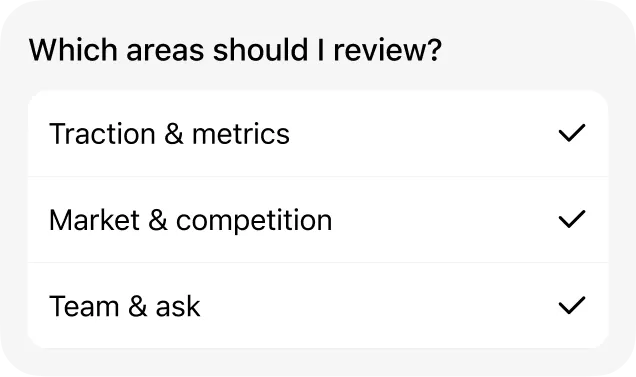
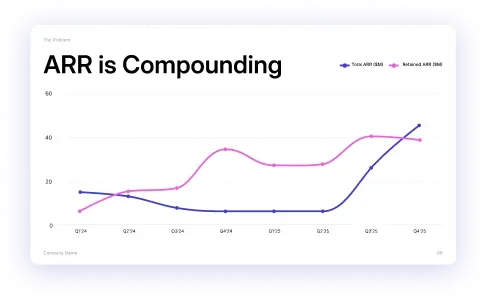
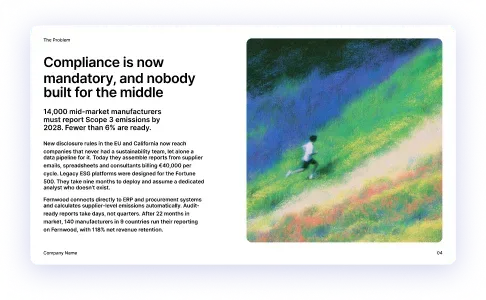
Get Early AccessAn owner asks the Presentation Maker to help put together their Series A pitch deck. The agent asks which areas to strengthen, then builds a 12-slide deck with charts on traction and revenue.



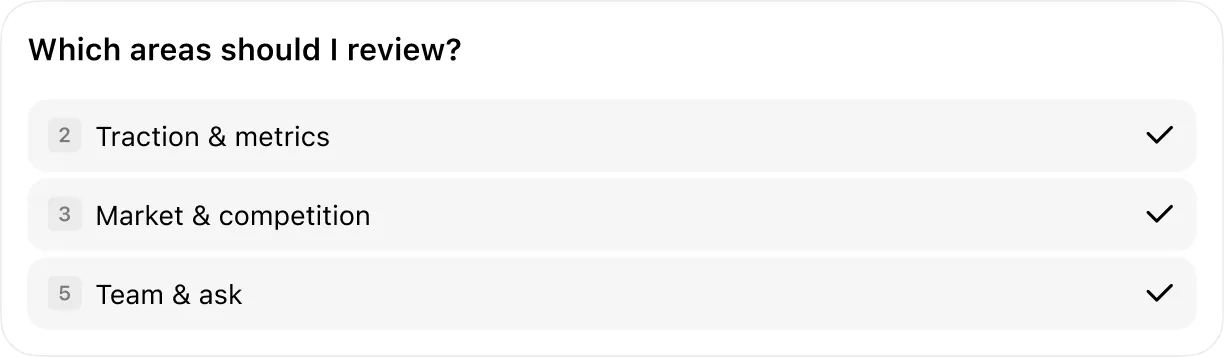


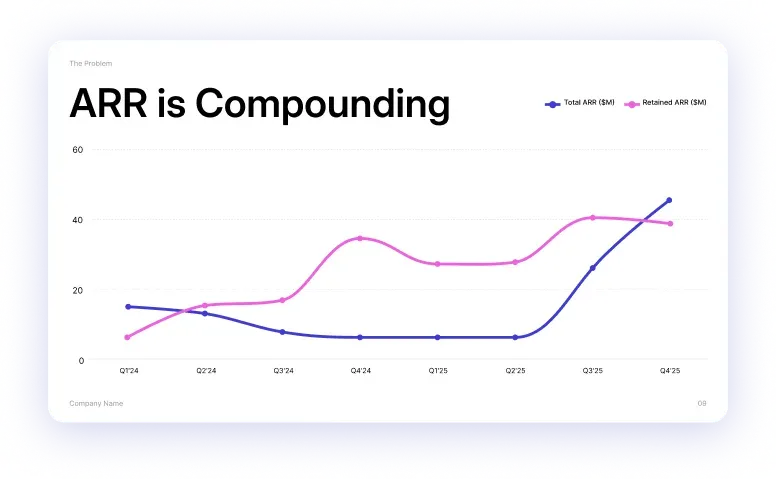
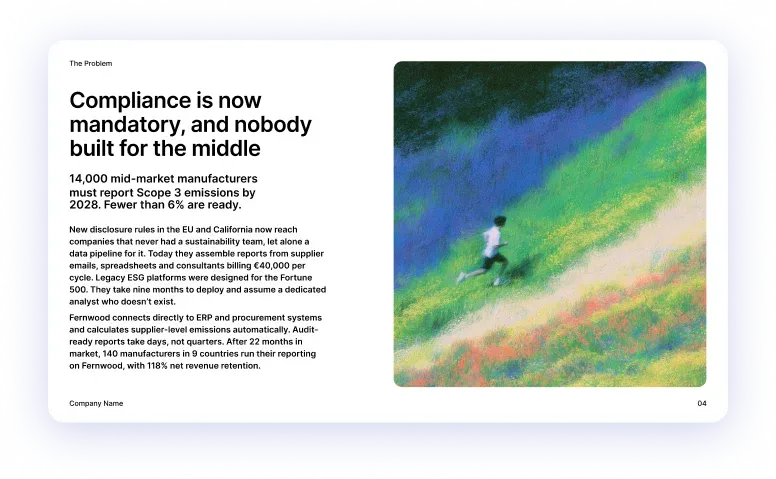
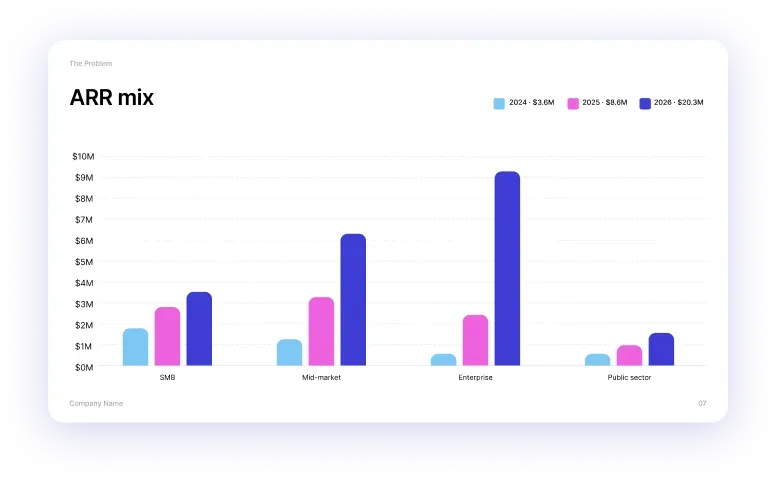

An owner asks the Presentation Maker to help put together their Series A pitch deck. The agent asks which areas to strengthen, then builds a 12-slide deck with charts on traction and revenue.




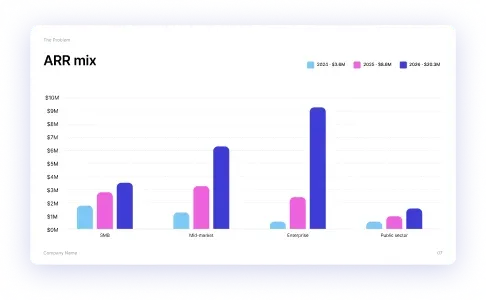

Story, design and data turned into a deck you can present
What your Presentation Maker gets you
An AI Presentation Maker for owners who pitch, report and sell with slides. It turns your notes, spreadsheets and past decks into finished presentations in your own design, and asks for your approval before anything is shared.
An outline you approve before any slide
Give the Presentation Maker a prompt, a file or a link and it drafts a slide-by-slide storyline for you to approve first
- Works from a topic, a rough outline, a report, a PDF or a website
- Gaps researched on the web and in your files, with sources noted
- Estimates labeled as estimates, never presented as facts
On-brand slides with charts and visuals
It lays out every slide with clear headlines, charts, tables and images, using your brand colors, fonts, logo and template
- Your brand kit applied to every slide in the deck
- An example deck you upload used as the style for new ones
- Charts and tables built from the spreadsheets in your Google Drive
Change one slide without redoing the deck
Ask for a new chart or one changed sentence and it edits only that, leaving the rest of your deck as it was
- One slide, one chart or one sentence changed on request
- The rest of the deck stays exactly as you approved it
- Each change confirmed in one line so you can check it
Speaker notes and PowerPoint export
Every slide gets a short talk track, then the deck exports to PowerPoint, Google Slides or PDF and saves to Drive or OneDrive
- 2 to 4 sentences of speaker notes for each slide
- Saved to Google Drive or OneDrive when you ask
- Narrated in a natural AI voice to rehearse or share as a video
Works inside the tools you already use
It reads your Google Drive, Notion and email threads for the raw material, and builds in Google Slides and PowerPoint











Including Google Slides, Microsoft PowerPoint, Canva, Google Drive, Google Docs, OneDrive, Microsoft Word, Notion, Slack, Microsoft Teams, Figma, Dropbox, Adobe Express, Zoom, Loom, Miro.
And 100+ others…
Sample prompts for your Presentation Maker
Describe the deck in plain words, including who it's for, what it needs to prove and the numbers behind it. Your AI Presentation Maker builds the slides, no design skills needed
Message Presentation Maker
Nothing changes without your say
It reads what's going on across your tools, but every change waits for your approval. Nothing publishes, nothing breaks, until you click yes.
Full access, your rules
Connect the tools it needs to do the job. You choose what it can read, and what it's allowed to change
Your approval first
Every change it wants to make waits for your approval, so nothing goes live without you clicking yes
Every action on record
See exactly what it changed and why, with a full history across every tool it connects to
Built for jobs, not tasks
Your AI Presentation Maker takes a pitch from rough notes to the meeting. It builds the deck, revises it with you and sends the follow-up after you present
Monday, 1

Presentation Maker
- Outlined a 12-slide story for Friday's pitch
- Listed the 9 numbers the charts need

Chief of Staff
- Pulled the 5 questions the investor asked at your last meeting
Tuesday, 2

Data Analyst
- Pulled the 9 numbers from your real files
- Found growth is 55%, not the 40% on last year's slides

Bookkeeper
- Confirmed the revenue and margin figures against the books
Wednesday, 3
Presentation Maker
- Built 9 charts that pull from your real files
- Fixed every slide that said 40% growth

Content Creator
- Turned a customer's kind email into one story slide
Thursday, 4
Presentation Maker
- Cut 6 slides that said nothing, so the story lands in 10
- Added speaker notes to every slide

Image Generator
- Made the cover and 4 product shots in your brand colors
Friday, 5
Presentation Maker
- Rebuilt all 10 slides in your brand kit
- Sent the final deck an hour before the pitch
Chief of Staff
- Sent a one-page brief on the investor with the deck attached
Investor pitch week · Jun 1–5
Explore the rest of the team
- Chief of Staff
- Content Creator
- Image Generator
 Online Store Manager
 Receptionist
 SEO Auditor
 Social Media Manager
 Software Engineer
 Ads Manager
 Billing Assistant
- Bookkeeper
 Contract Reviewer
 Customer Support Manager
- Data Analyst
 Inventory Manager
 Job Description Generator
 Legal Advisor
 Payroll Manager
 Sales Executive
 Task Manager
FAQs
What is a Presentation Maker?
An AI employee that builds your decks the way a good assistant would, not a template gallery. It drafts the story from your own files, designs every slide in your brand and keeps the numbers current. You review the result.
Will it match my company template?
Yes. Upload your deck or brand kit once and every slide it builds uses your fonts, colors and layouts. No more off-brand slides from a rush job.
Can it use my own data and documents?
That's the point. Connect Drive, Notion or your spreadsheets and it builds from what's actually true, not generic filler text.
PowerPoint or Google Slides?
Both. It builds and edits in either, and hands you the file in the format your audience expects.
Can it make charts from my numbers?
Yes. Bar, line, donut and more, built from your real figures and labeled in plain English. When the source data changes, the charts refresh in one command.
Do I have to start from a blank slide?
Never. Give it a one-line brief like 'investor update, 10 slides, next Friday' and you'll get a full draft to react to instead of a cursor to stare at.
How long do agents run?
They don't clock out. A coworker runs continuously in the background, working when there's something to do and reporting when there's something to show you.
Do the AI coworkers work together?
Yes, and that's the point. The coworker that qualifies a lead hands it to the one that drafts the proposal, which hands it to the one that chases the invoice, so you hire the team and the handoffs happen on their own.
Can I create my own AI coworker?
Yes. Describe the job in one sentence (the outcome, the tools it should touch, when it should check in) and Maui's factory builds it, with no code, no builder canvas, and no flowcharts.
Do I need to know AI or prompting?
No. If you can write a clear message to a new hire, you can run an AI coworker, and the models, prompts, and plumbing are our problem.
What does joining the waitlist commit me to?
Nothing. There's no card, no contract and no obligation to buy, and if you join the beta the only ask is that you tell us what's working and what isn't.



Pre-launch
The AI team that runs your business

Specialist agents for every job, working 24/7.
2,720businesses already in line