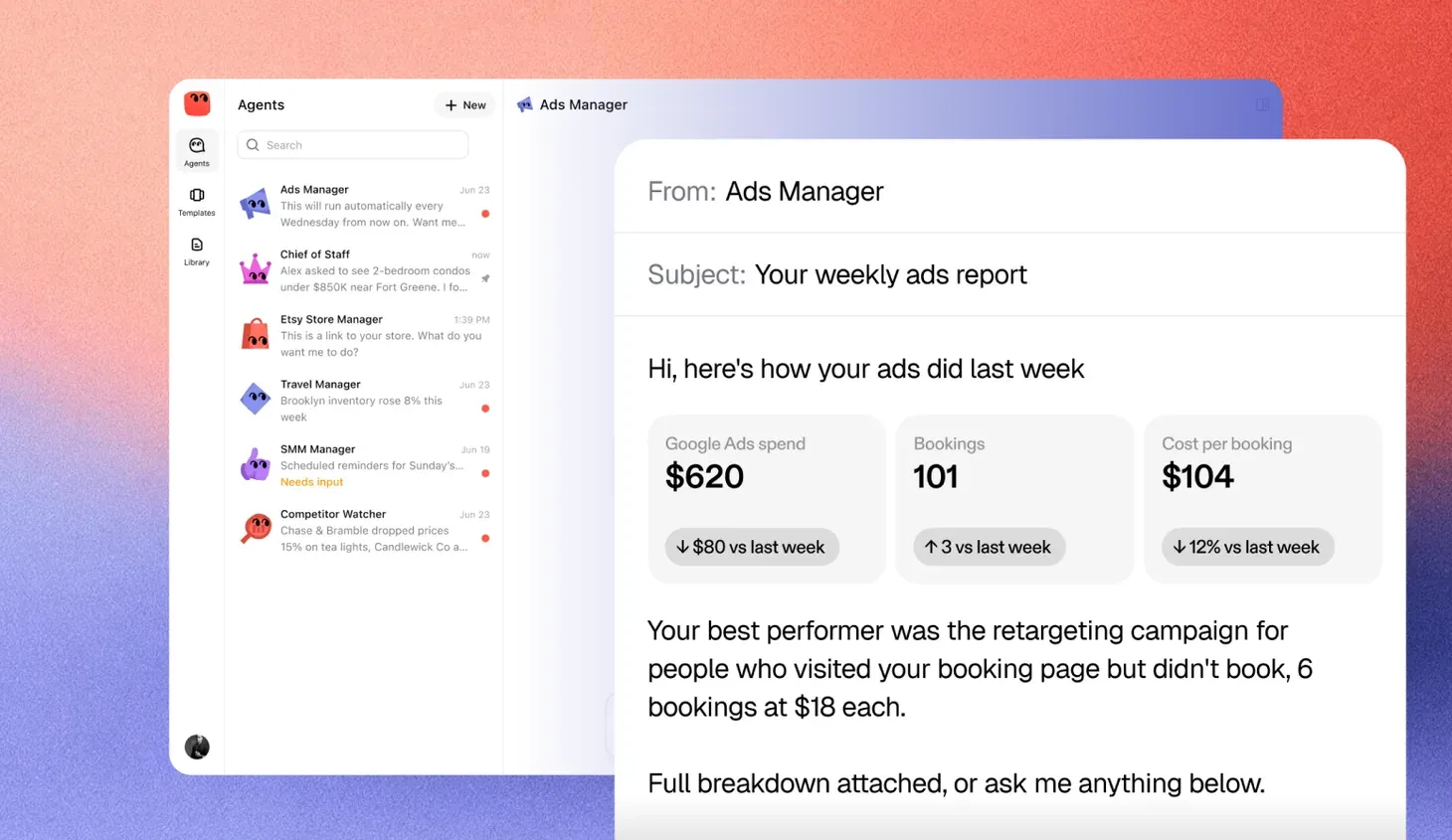
An agent that keeps working after you log off
An always-on AI agent is software that keeps working on a job you gave it, whether or not anyone is at a keyboard. It does not wait for a prompt. It watches the tools where the work happens, notices when something changes or when a task is due, and takes the next step.
Think of the difference between a calculator and a bookkeeper. A calculator does nothing until you press a key. A bookkeeper shows up every day, checks what came in and handles it. An always-on agent is built to be the second kind.
Where a decision is yours, it still stops and asks. Always-on describes when it works, not how much freedom it has.
Why “always on” matters
Most AI people use today is a chat window. You open it, ask something and close it. The work happens only while you are there, and only when you remember to ask.
A lot of business work does not fit that pattern. It shows up at odd hours and needs attention within a set time.
- An invoice goes overdue on a Saturday.
- A customer emails the shared inbox at night, asking about an order.
- Ad spend jumps on a Tuesday afternoon while you are with a client.
- A new lead fills in the form and is waiting for a reply.
- A supplier changes a price in a spreadsheet you share.
The back office is full of the same kind of work, and much of it runs over days rather than minutes.
- A supplier invoice arrives that does not match its purchase order. Someone has to compare the two, ask the buyer whether the extra units were really ordered, wait for the answer and only then send the invoice for payment. Left alone, it sits in a queue until the supplier calls to ask where their money is.
- A supplier asks to change their bank details. Before anyone updates the record, a person has to call the supplier back on a number already on file and confirm the request is real. It is a five-minute check that is easy to skip on a busy afternoon, and skipping it is how payment fraud happens.
- A new hire starts on Monday. Their laptop, email account, payroll record and building pass all live in different systems owned by different teams. Each one needs a request, a reminder and a check that it was done before the person walks in.
- A contract renews in ninety days. The renewal notice window opens quietly. Someone has to see it coming, pull the current terms and usage, and get the right owner to decide whether to renew, renegotiate or cancel before the window closes.
- Month-end close starts. Bank lines need matching to the books in every entity, missing receipts need chasing and the gaps need listing for the controller. The work is not hard. It is just long, and it has a deadline.
None of these need genius. They need someone to notice, follow a rule and act on time. That is the gap an always-on agent fills. It is less about intelligence and more about attention that does not run out.
How an always-on agent works
Under the surface, most always-on agents follow the same loop.
- Watch. The agent checks the systems it can see, like an inbox, a calendar, a CRM or a store, on a schedule or when it is told something changed.
- Decide. It compares what it sees with its goal and its rules. Is there something to do? Is it allowed to do it?
- Act or ask. If the step is routine and allowed, it does it. If the step needs a person, it prepares everything and sends a request for approval.
- Record. It writes down what it saw, what it did and why.
- Wait. Then it goes quiet until the next check or the next change.
The waiting is as important as the acting. A good always-on agent is not busy for the sake of it. It does the work that is due and leaves everything else alone.
Schedules and triggers
There are two ways an agent knows it is time to work. A schedule is a set time, like every morning at eight or the last business day of the month. A trigger is an event, like a new email, a payment failing or a deal changing stage. Most useful agents use both. A collections agent might send reminders on a schedule and react at once when a customer replies.
Memory over time
Because the agent works on the same job for weeks, it builds up context. It knows which customers always pay late, which supplier sends invoices in the wrong format and which leads already said no. That memory is what lets it act sensibly without a person explaining the background each time.
Always-on agent vs. chat assistant vs. scheduled automation
People often confuse always-on agents with two things they already know.
| Chat assistant | Scheduled automation | Always-on agent | |
|---|---|---|---|
| Products you may know | ChatGPT, Claude, Microsoft Copilot Chat | Zapier, Make, Microsoft Power Automate | OpenAI’s dots, xAI’s Grok Bot, Meta’s Muse |
| What starts it | You type a message | A clock or a fixed trigger | A schedule, an event or its own check |
| What it does | Answers, drafts or summarizes | Runs the same fixed steps | Decides the next step from the situation |
| How it handles surprises | It does not see them unless you paste them in | It follows the steps anyway, or fails | It adapts within its rules or asks a person |
| How long it works | One conversation | One run at a time | Weeks or months on the same job |
| What it remembers | The current chat, sometimes more | Nothing between runs | The history of the job |
| What you check | Its reply | Whether the run succeeded | Its record and its approvals |
A scheduled automation is reliable but rigid. It will send the same reminder to a customer who paid an hour ago. A chat assistant is flexible but only works while you are there. An always-on agent tries to combine the persistence of the first with the judgment of the second.
Where always-on agents pay off in a large company
The best fits share a few traits. The work repeats across teams and entities, it arrives at unpredictable times, the rules are written down and a delay has a real cost.
- Collections. Watch for overdue invoices, send polite reminders at the right intervals, and flag accounts that need a phone call.
- Shared inbox triage. Sort incoming email, answer routine questions from approved replies and route the rest to the right person.
- Lead follow-up. Reply to new leads quickly and nudge the ones that went quiet.
- Ad spend watch. Notice when a campaign overspends or stops converting and pause it within limits you set.
- Month-end prep. Gather receipts, match transactions in a spreadsheet and list what is missing before the books close.
- Calendar upkeep. Confirm appointments, chase no-shows and fill gaps from a waitlist.
Poor fits are jobs that happen once, jobs where every case is different, and jobs where one mistake is very costly. Those still need a person, perhaps with an assistant at their side.
What to set before you turn one on
An agent that never sleeps needs clearer limits than one you watch over. Before it starts, decide these things.
- The goal. Write it the way you would brief a new hire. Say what done looks like.
- The hours that matter. Some actions are fine at any time. Others, like emailing a customer, may be better held until business hours.
- Approval rules. List the actions that always come to a person, like refunds, payments, price changes and first contact with someone new.
- Daily caps. Limit how many emails it sends, how much it can spend or how many records it can change in a day.
- Access. Connect only the tools the job needs, with the narrowest access that works.
- A way to stop it. Know how to pause the agent in one step and who else can do it.
How to judge an always-on agent
Any product will say it works around the clock. The useful questions are about what happens when you are not looking.
| What to check | Question to ask |
|---|---|
| Triggers | What can wake it up, and can I see why it acted at a given moment? |
| Approvals | Does it wait for me on the actions I choose, and how does it reach me? |
| Record | Can I read a plain log of everything it did overnight? |
| Limits | Can I cap actions per day and hold some actions to business hours? |
| Pause | Can I stop it in one step, and does it pick up cleanly afterward? |
| Quiet time | When there is nothing to do, does it stay quiet instead of making work? |
| Errors | When a connected tool is down, does it tell me or fail silently? |
The last two are easy to miss. An agent that sends you a message every hour to say nothing happened will be ignored. An agent that fails silently will be trusted until the day it matters.
Starting small
Pick one job where a slow response already costs you something. Overdue invoices and new leads are common starting points. Turn the agent on with approval required for every outside action and read its record each morning for a couple of weeks.
You are looking for two things. Did it notice everything it should have? Were its proposed actions ones you would have taken? When both answers are steady, loosen one rule at a time. Always-on works best when trust is built the same way you would build it with a new person on the team, one job and one week at a time.