Go-to-market, and the agent that works it
GTM stands for go-to-market. It covers everything a business does to find buyers, win them and keep them buying. That means marketing, sales and the handoff to customer success. Agentic AI is the wider name for software that works this way.
A GTM agent is an AI agent that does part of that work for you, on an ongoing basis. You give it a goal, such as following up every new lead within a day or keeping the pipeline in your CRM accurate. It reads what is happening in your tools, decides what needs doing next, does it and reports back. Where a decision is yours, like a discount or a first email to a large prospect, it stops and asks.
The point is not a smarter search box. The point is that the follow-up gets done every time, even in the weeks when nobody has time for it.
Where the term came from
“Go-to-market” is older than it sounds. Roger Martin traces its earliest written use to a 1990 Harvard Business Review article, where it still sat in quotation marks, and a book called Go-to-Market Strategy followed in 2002. It described a shift away from selling mostly through people knocking on doors toward a planned mix of channels, partners and teams.
The acronym took hold in the technology sector, where software companies plan a “GTM motion” for every launch and region. In the 2010s that thinking produced revenue operations, or RevOps, a function that joins the data and processes of marketing, sales and customer success so they stop working from different numbers. Around 2023 a newer title appeared, the GTM engineer, for people who build automated workflows for finding and reaching buyers. Clay, the data tool, says it coined the role.
A GTM agent is the next step on that line. Where a GTM engineer builds the workflow, the agent runs the job inside it, every day.
What go-to-market work looks like day to day
Most of go-to-market work is not strategy. It is a long list of small jobs that each take a few minutes and pile up fast.
- Lead intake. A form fill, a reply to a newsletter or a call from a referral has to land somewhere with a name, a source and a next step.
- Research. Someone has to look up the company, check its size and decide if it fits.
- Follow-up. The first reply, the second nudge and the meeting link all have to go out on time.
- CRM upkeep. Deals need the right stage, the right amount and a note about the last conversation.
- Reporting. Sales leadership wants to know what came in this week, what moved and what stalled, by region and by segment.
In a large company these jobs are spread across SDRs, account executives, marketing operations and RevOps, each covering more accounts than they can work by hand. Inbound leads from a webinar wait days for routing. Target accounts in the long tail get one touch a quarter. The CRM drifts until the forecast call becomes an argument about whose numbers are right. A GTM agent takes on that layer of the work so people can spend their time on the conversations that need a person.
What a GTM agent actually does
The jobs vary by company, but most GTM agents work across the same few areas.
Finding and qualifying leads
The agent watches the places leads arrive, like web forms, event lists, a shared inbox or a booking page. For each new one it gathers basic facts from what the person sent and from public sources you allow. Then it scores the lead against your ideal customer profile, such as industry, size, region or the tools they already use, and routes it to the right territory. A good fit goes to the top of the list with a short note on why. A poor fit gets a polite reply or a tag, depending on your rules.
Following up
This is where most of the value sits. The agent drafts the first reply, schedules the second, and notices when a prospect opened a proposal and went quiet. It writes in a voice you have approved and uses facts from the record, not guesses. Until you trust it, every draft waits for your approval.
Keeping the CRM honest
After every email, call note or calendar event, the agent updates the deal. It moves stages when the evidence supports it, fills in missing fields and flags deals that have not moved in a while. The CRM becomes something you can read on a Monday morning and believe.
Reporting back
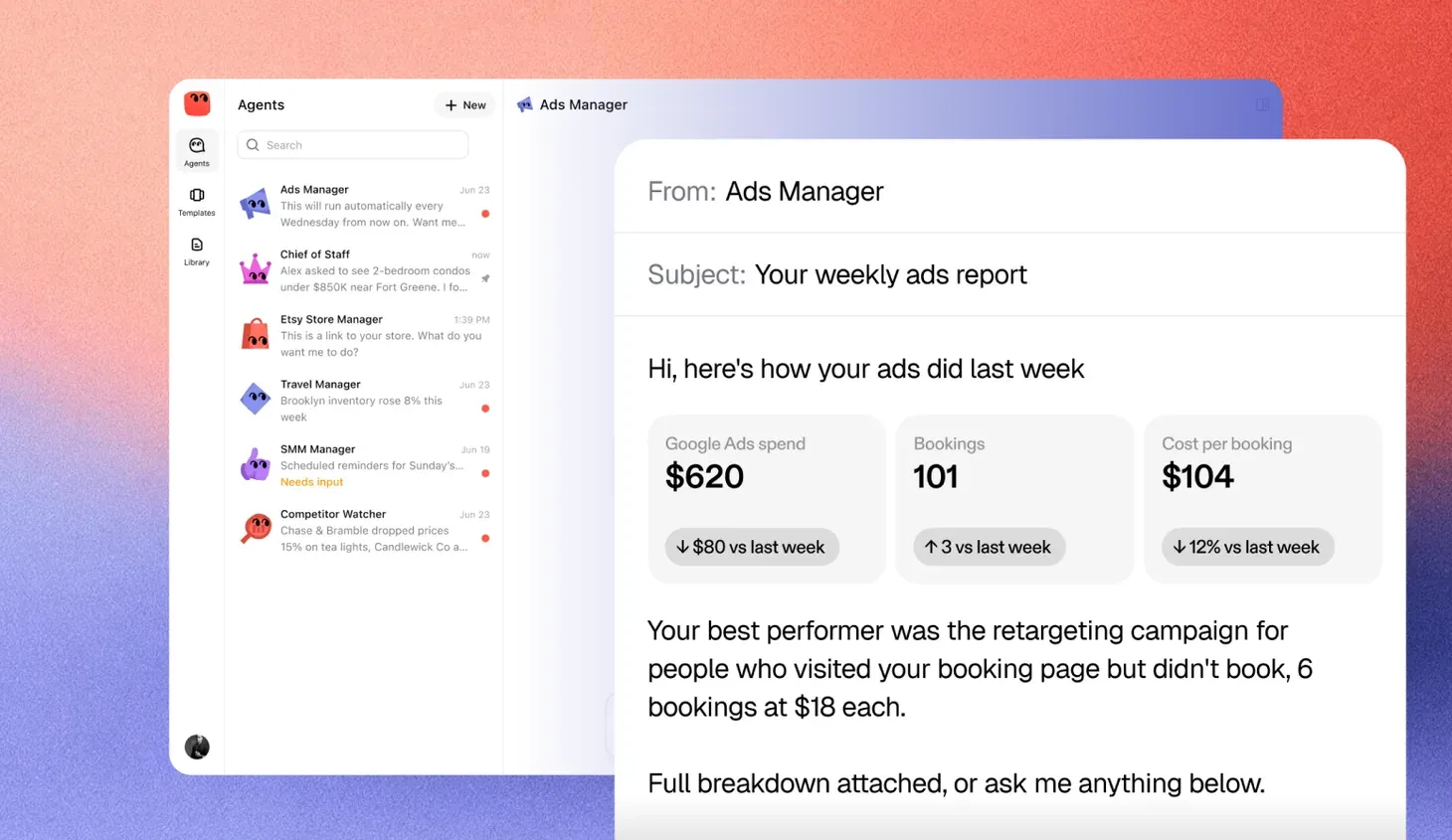
Once a week, or whenever you ask, the agent sends a plain summary. It covers new leads, meetings booked, deals that moved and deals at risk. It also lists what it did and what it is waiting on you to decide.
GTM agent vs. other sales tools
Plenty of tools touch go-to-market work already. The difference is in who does the work and for how long.
| Sales automation sequences | Sales chatbot | GTM agent | |
|---|---|---|---|
| Tools you may know | Outreach, Salesloft, Apollo | Intercom Fin, Qualified, Drift | GTM agents built on a CRM, or general agents like dots and Grok Bot given a GTM job |
| What you give it | A fixed list of emails and delays | A script or a knowledge base | A goal and a set of rules |
| How it decides | It follows the sequence regardless of replies | It answers the visitor in front of it | It reads the situation and picks the next step |
| Where it works | Your email tool | Your website | Your inbox, calendar, CRM and forms together |
| How long it runs | Until the sequence ends | One conversation | Weeks and months on the same pipeline |
| What you check | Open and reply rates | Chat transcripts | Its record, its drafts and its approvals |
Two more tool families sit next to these. Data and enrichment tools like ZoomInfo and Clay supply the facts about a company, and conversation intelligence tools like Gong record what was said on calls. Neither acts on its own. A GTM agent is often what reads them.
A sequence will happily send email four to someone who replied to email one. A chatbot forgets the visitor when the tab closes. A GTM agent is meant to sit across both and act like a careful junior colleague who remembers everything.
The connections it works through
A GTM agent is only as useful as the data it can read and the systems it may update. In an enterprise that data sits in a handful of places, and each one gives the agent something different.
| Connection | Example tools | What the agent reads | What it does with it |
|---|---|---|---|
| CRM | Salesforce, HubSpot, Microsoft Dynamics 365 | Accounts, contacts, open deals and their history | Updates stages and fields, logs activity, flags stalled deals |
| Email and calendar | Gmail, Outlook | Threads with each prospect and meetings booked | Drafts replies, notices silence, books the next call |
| Marketing automation | Marketo, HubSpot Marketing Hub | Who opened what, attended which webinar, filled which form | Picks up engaged contacts and routes them to sales |
| Data enrichment | ZoomInfo, Clay | Company size, industry, tech stack and new contacts | Scores leads against your ideal customer profile |
| Intent data | 6sense, Bombora | Which accounts are researching your category | Moves those accounts up the list for outreach |
| Product usage | Snowflake, Segment, Mixpanel | Who signed up, invited teammates or hit a limit | Flags product-qualified leads and expansion signals |
| Call notes | Gong, Chorus | What a prospect said on the last call | Writes the follow-up from the call, not from guesses |
| Team chat | Slack, Microsoft Teams | Requests from reps and managers | Sends alerts and approval requests where people already work |
How to put the connections to work
Start read-only. Let the agent read the CRM, the inbox and one data source, and have it propose updates for a person to accept. Once its proposals are right most of the time, let it write to a short list of CRM fields, like stage, next step and last activity, and keep everything else locked.
Then join the signals. The value is rarely in one source. It is in the agent noticing that an account in your target list just showed intent data, has three users on a free trial and has an open deal that went quiet two weeks ago, and telling the account owner that today is the day to call. A person would need five tabs open to see that. The agent sees it every morning.
What it needs from you
An agent is only as good as the brief and the access it gets. Before you switch one on, plan to give it a few things.
- A clear goal. “Reply to every new lead within one business day and book a call with the good ones” is a goal. “Help with sales” is not.
- Your definition of a good lead. Write down who you sell to and who you do not. The agent will apply this every time, so it is worth getting right.
- Access to the right tools. Usually the CRM, inbox, calendar and lead sources from the section above. Give it only what the job needs, and agree the access with IT and RevOps.
- A voice. A few emails you have sent that you are proud of, plus anything you never want said.
- Approval rules. Decide which actions always come to you. First contact, pricing, discounts and anything to an existing large customer are common choices.
- Time to review. Expect to read its drafts closely in the first weeks. That is how it learns your standards and how you learn to trust it.
Where a GTM agent should stop
A GTM agent speaks for your business, so the limits matter more than the features. Some decisions should stay with a person, at least at the start.
- Pricing and terms. The agent can quote a published price. A discount, a custom deal or anything that goes through deal desk should come to a person.
- Sensitive accounts. Named enterprise accounts, existing customers in renewal and anyone in a dispute deserve a human reply.
- Anything new. If a prospect asks for something you have never offered, the agent should flag it, not improvise.
- Volume. Cap how many new people it can contact in a day, so a mistake stays small.
A good agent makes these limits easy to set and easy to see. It also keeps a record of every action, so you can check what it said to whom and why.
How to judge a GTM agent
When you look at any product in this space, the demo will look good. The useful questions are about the ordinary weeks after.
| What to check | Question to ask |
|---|---|
| Approvals | Can I require my approval for first contact, pricing and named accounts? |
| Record | Can I see every email, update and decision it made, with the reason? |
| Tool access | Does it work with the inbox, calendar and CRM I already use, with only the access it needs? |
| Voice | Can I teach it how we write, and can I see that it follows the rules? |
| Limits | Can I cap daily sends and pause it in one step? |
| Handoff | When a lead is ready for a person, how does it tell me and what does it pass along? |
| Mistakes | When it gets something wrong, how do I correct it so it does not happen again? |
A product that answers these plainly is worth a trial. One that answers with a list of integrations and a promise is not there yet.
Where to start
Pick the job that slips most often in one team. In many enterprises it is inbound follow-up after an event, or the second touch to long-tail accounts that never gets sent. Give the agent that job alone, for one region or segment, with approval on every message, for a few weeks. To see how the main options compare, read the agent platforms worth comparing for business work.
Watch three things. Did the follow-ups go out on time? Were the drafts good enough to send with light edits? Did the CRM end up more accurate than before? If the answer is yes to all three, widen the job to lead intake or weekly reporting. If not, the brief or the rules usually need work before the agent does.
Go-to-market work rewards consistency more than brilliance. That is exactly the kind of work an agent is good at, as long as a person still owns the decisions that shape how the company is seen.